Comparisons
Running a Smart Home on a Local Network: Is It Possible?
Explore the feasibility of operating a smart home entirely on a local network, focusing on privacy, reliability, and control.
Quick answer: Can I run a smart home entirely on a local network?
Yes. Using Z-Wave, Zigbee, or local-first hubs like Home Assistant, you can run automations and control devices without internet. It requires compatible hardware and some technical setup.
Executive Summary
Running a smart home entirely on a local network is an appealing option for those who prioritize privacy, offline reliability, and local control. This approach ensures that all data remains within the home, eliminating the risk of external data breaches and offering full functionality even without internet access. However, it demands a higher initial investment in compatible hardware and a willingness to engage with more complex setup and maintenance processes. Users must be prepared to handle the technical aspects of network configuration and device integration, as well as ongoing security management.
Bottom line: A local-only smart home network offers unparalleled privacy and control but requires technical expertise and a commitment to ongoing maintenance.
Privacy and Security in Local Smart Home Networks
Privacy is a primary concern for many users considering a local-only smart home network. By keeping all data on-premises, users can avoid the risks associated with cloud data collection and potential breaches. This setup ensures that sensitive information, such as device usage patterns and home occupancy, remains private and secure. However, this privacy comes with the responsibility of managing security measures independently.
To maintain a secure local network, users must implement robust security practices. This includes changing default passwords, enabling WPA3 encryption, and setting up static IP addresses for all devices. Advanced users might also consider creating VLANs to isolate smart home devices from other network traffic, reducing the risk of cross-device vulnerabilities. See our VLAN setup guide for implementation details. Regular firmware updates are crucial to protect against newly discovered threats, but these updates must be managed manually, unlike the automatic updates provided by cloud services.
Local-only vs hybrid smart home privacy
| Product | Cloud required | Local storage | Mandatory account | Offline control | Score / 10 |
|---|---|---|---|---|---|
| Cloud-connected (Alexa, Google) | Yes | Limited | Yes | Weak | 3.0 |
| Hybrid (local hub + cloud voice) | Partial | User managed | Optional | Strong | 7.0 |
| Z-Wave/Zigbee + local hub | No | N/A | No | Excellent | 9.0 |
Despite these challenges, the privacy benefits of a local-only network are significant. Users have complete control over their data, with no third-party access or data sharing. This autonomy is particularly valuable for those in regions with stringent data protection regulations or for individuals who simply prefer to keep their personal information private.
Device Compatibility and Protocols
The choice of devices and protocols is critical when setting up a local-only smart home network. Z-Wave and Zigbee are the primary wireless protocols used in these setups, both of which require dedicated controllers. Compare them in our Zigbee vs Z-Wave guide. These protocols are well-suited for local networks due to their ability to operate independently of the internet, providing reliable communication between devices.
However, not all smart home devices are compatible with local-only setups. Many popular devices, such as Amazon Alexa and Google Home, rely on cloud connectivity for full functionality. Users must carefully select devices that support local protocols or have documented local API endpoints. This often means opting for less mainstream products or those specifically designed for local operation.
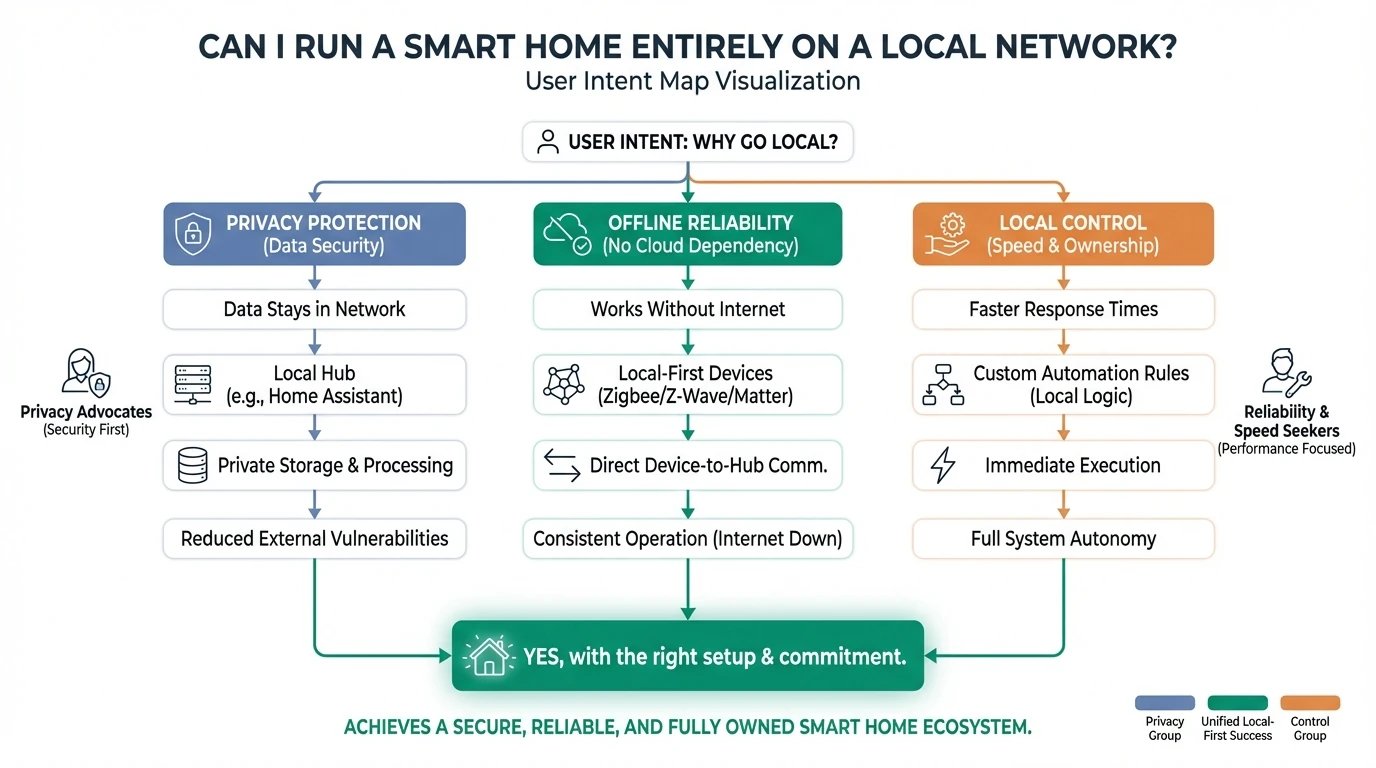
The limited compatibility can be a drawback, but it also encourages users to build a more cohesive and integrated system. By focusing on devices that work well together, users can create a seamless smart home experience that operates efficiently without relying on external services.
Setup Complexity and Maintenance
Setting up a local-only smart home network involves a more complex process than a cloud-connected system. Users must configure a central router, connect a modem via Ethernet, and install Z-Wave or Zigbee controllers. Each device must be added through inclusion or pairing modes, and functionality should be tested without internet access to ensure reliability.
The initial setup can be daunting, especially for those without technical expertise. It requires a solid understanding of networking principles and the ability to troubleshoot issues independently. Users must also be prepared to manage ongoing maintenance, including monitoring firmware updates, managing device connections, and maintaining security settings.
Local-only setup checklist
- Select compatible devices and protocols (Z-Wave, Zigbee).
- Configure router and modem setup.
- Install and configure controllers.
- Set static IP addresses and enable encryption.
- Regularly update firmware and manage security.
Despite the challenges, the effort invested in setting up a local-only network pays off in terms of privacy and control. Users who are willing to engage with the technical aspects of their smart home system can enjoy a highly personalized and secure environment.
Cost Considerations
The cost of setting up a local-only smart home network is typically higher than a cloud-connected system. This is due to the need for additional hardware, such as smart home hubs, Z-Wave or Zigbee controllers, and potentially more advanced networking equipment. The initial investment can range from a few hundred to several thousand dollars, depending on the size and complexity of the network.
In addition to hardware costs, users must consider the time investment required for setup and maintenance. While there are no subscription fees for core functionality, the ongoing costs include electricity for the hub and networking equipment, as well as occasional device replacements. Users should also be prepared for potential hidden costs, such as professional installation if running Ethernet cables through walls.
Despite the higher initial costs, a local-only network can be more cost-effective in the long run. By avoiding subscription fees and maintaining control over their system, users can reduce ongoing expenses and enjoy a more sustainable smart home setup.
Balancing Privacy and Convenience
For many users, the decision to run a smart home entirely on a local network involves balancing privacy and convenience. While a local-only setup offers unparalleled privacy and control, it requires a willingness to engage with more complex setup and maintenance processes. For those who prioritize ease of use and broad device compatibility, a hybrid approach may be more suitable.
A hybrid setup allows users to operate critical devices, such as locks and lighting, locally while using cloud services for convenience features like voice control and remote access. This approach provides a balance between privacy, reliability, and usability, allowing users to enjoy the benefits of both local and cloud-connected systems.
Ultimately, the choice between a local-only and hybrid setup depends on individual priorities and technical capabilities. Users must carefully consider their needs and preferences to determine the best approach for their smart home.
Frequently Asked Questions
What are the main benefits of a local-only smart home network?
A local-only smart home network offers enhanced privacy, offline reliability, and full control over devices without relying on third-party cloud services.
What protocols are commonly used in local-only smart home networks?
Z-Wave and Zigbee are the primary protocols used, requiring dedicated controllers for operation without internet connectivity.
How does a local-only setup affect device compatibility?
Device compatibility is limited to those supporting local protocols or having local API endpoints, often excluding mainstream cloud-dependent devices.
What are the security responsibilities of a local-only smart home user?
Users must manage all security measures, including password management, encryption, firmware updates, and network segmentation.
Is a local-only smart home network more expensive than a cloud-connected one?
Initial costs are higher due to additional hardware requirements, but ongoing costs can be lower without subscription fees.
Primary Sources Table
| # | Source | URL | Content Type | Relevance |
|---|---|---|---|---|
| 1 | Vester | Link | Guide | Z-Wave/Zigbee configuration, device inclusion, local API setup |
| 2 | Boston Automations | Link | Guide | Network hardware, security hardening, maintenance practices |
| 3 | Home Assistant Community | Link | Forum | Advanced privacy configurations, VPN routing |
| 4 | Park Place Installations | Link | Guide | Router placement, modem connection, network layout planning |
| 5 | Ring | Link | Guide | LAN architecture, Ethernet expansion, network extenders |
| 6 | YouTube (BRCTV) | Link | Video | Router placement, hardwired connections, port requirements |
| 7 | Blue Ridge | Link | Guide | Network setup overview |
Conclusion
In conclusion, running a smart home entirely on a local network is a viable option for those who value privacy and control over convenience. While it requires a higher initial investment and a commitment to technical maintenance, the benefits of data sovereignty and offline reliability are significant. Users must weigh their priorities and capabilities to determine whether a local-only or hybrid approach best suits their needs.
Explore more on setting up a secure and private smart home by checking out our guides on local storage security cameras, smart home hubs without cloud accounts, and blocking smart home devices from accessing the internet.